TL;DR · 4D Camera Control Specification (S_shot)
Stand 2.5–3.2m back on the 1.0x (24mm) lens, crouch to 20–35cm camera height, tilt upward +8° to +14° (or 15°–35° dramatic low angle at ~10cm height), place the front toe inside the bottom 88%–96% baseline, and keep the face within θ ≤ 18° of the optical center.
1. Why Eye-Level Full-Body Photos Shrink Your Legs
According to the pinhole perspective projection model, the imaged height h(Z) of any vertical segment ΔY at depth Z from the camera sensor follows h(Z) = f · (ΔY / Z). Taking the first derivative with respect to depth reveals the Inverse-Square Foreshortening Law:
dh / dZ = −f · (ΔY / Z²)
When a photographer shoots standing upright at chest/eye level (150–165cm), the camera is closer to the head than to the shoes. The head appears proportionally larger while the legs recede along depth Z. Conversely, dropping camera height to ankle-to-shin level (Z_foot = 0.35m vs Z_head = 1.85m) shifts the depth ratio by 1.85 / 0.35 ≈ 5.28×—magnifying lower-body scale through pure 3D geometry rather than post-processing stretch.
2. Rectilinear Planar Stretch Law (1 / cos³θ)
Smartphones use rectilinear (gnomonic) projection on the 24mm main camera (FoV ≈ 84°), obeying r = f · tan(θ) where θ is the off-axis incident angle from the frame center. As light hits further toward the edges of the sensor, differential area stretch grows rapidly:
| Off-Axis Angle (θ) | Frame Position (24mm 1.0x) | Radial Stretch (1/cos²θ) | Area Stretch (1/cos³θ) | Boko Cam Optical Rule |
|---|---|---|---|---|
| 0° | Dead center | 1.00 (0%) | 1.00 (0%) | Zero distortion · Ideal for close portraits |
| 15°–18° | Inner circle (central 35%) | 1.07 (+7%) | 1.11 (+11%) | Face Safe Zone ceiling (θ_face ≤ 18°) |
| 25° | Rule-of-thirds band | 1.22 (+22%) | 1.34 (+34%) | Torso & waist natural transition zone |
| 30°–38° | Outer bottom edge (88%–96%) | 1.49 (+49%) | 1.82 (+82%) | Golden Shoe/Ankle Anchor Zone |
| 45° | Extreme wide-angle corner | 2.00 (+100%) | 2.83 (+183%) | Severe distortion · Never place faces here |
3. 3-Step Execution Protocol Inside Boko Cam
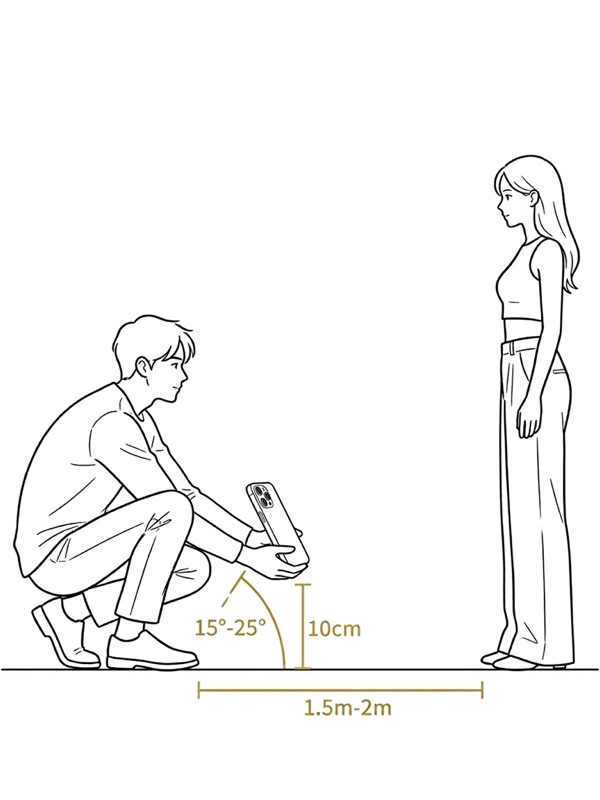
Crouch Low & Lock Micro-Tilt
Lower the iPhone to 20–35cm height (or ~10cm for dramatic wide shots) and pitch upward +8° to +14° (15°–35° dramatic mode) until Boko Cam's gyro gauge turns green.
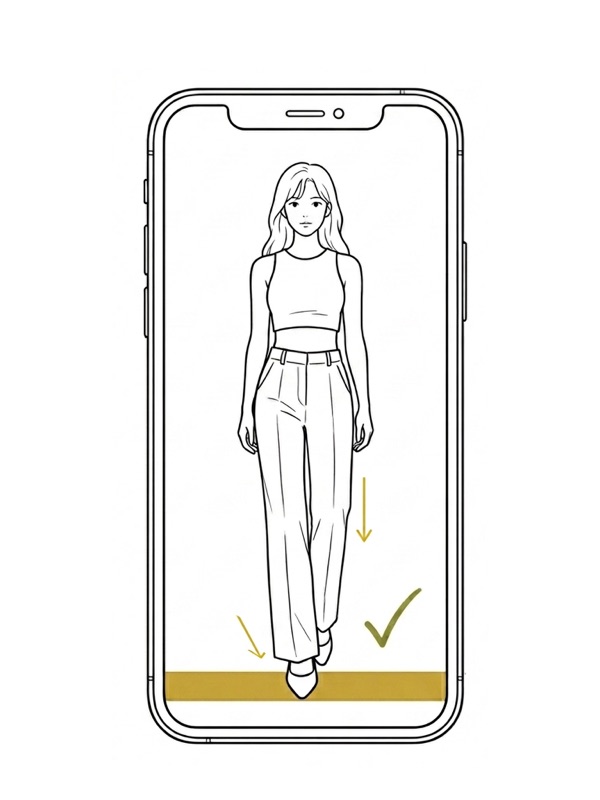
Anchor Front Foot in 88%–96% Band
Keep body weight on the back leg and extend the front shoe forward into the bottom baseline (θ ∈ [30°, 38°]).
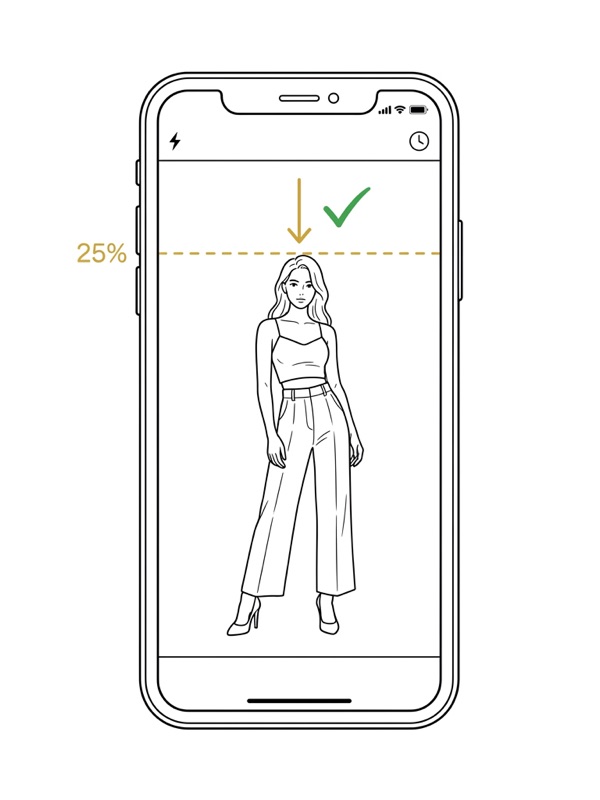
Preserve Headroom Margin
Keep the head in the central-upper safe zone (15%–25% headroom; top boundary [15%, 40%]) so facial features stay strictly within θ ≤ 18°.
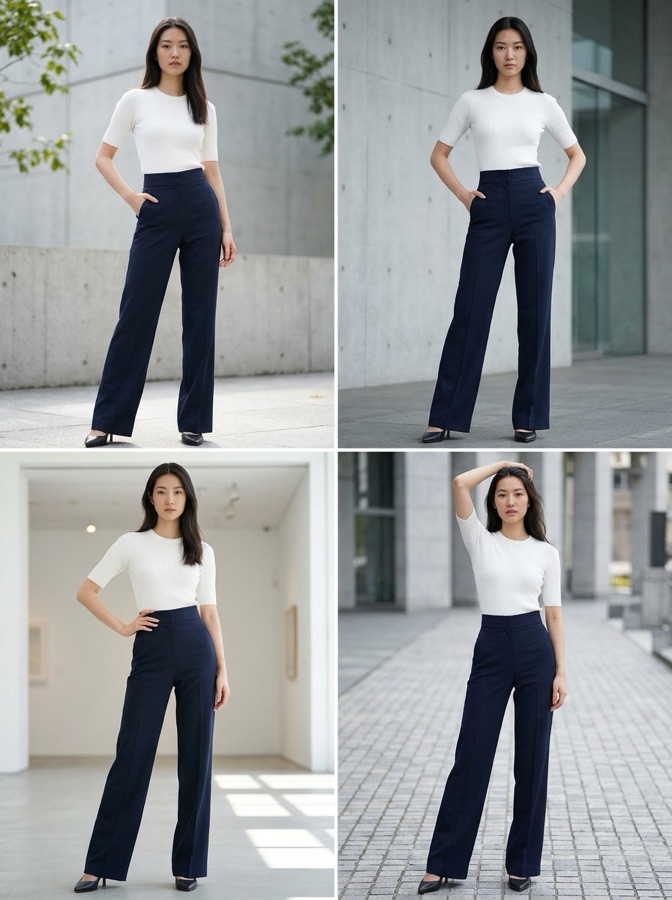
Editorial Silhouette Without Warping
Clean vertical lines, zero background bending, and naturally elongated lower-body geometry straight out of camera.
4. Solo Mirror Variation: Inverted Mirror OOTD
When shooting solo in front of a mirror, crouching is awkward and narrow mirrors crop your pose. Boko Cam's Inverted Mirror OOTD template lets you flip your iPhone upside-down at chest/torso height—the interface auto-rotates upright while physically dropping the lens optical axis by 15cm. Keep the phone upright with a 0°–4° micro-tilt, align toes along the bottom stretch guide, and trigger the shutter right under your thumb.
Let Boko Cam Lock These Angles Live
Stop squinting at horizon lines or asking friends to "squat lower." Boko Cam tracks ankles, face position, and CoreMotion pitch simultaneously—and fires automatically when everything locks green.
Download Boko Cam on iOS